Understanding 8GB RAM Constraints and the Sweet Spot Model Size
Running large language models locally on 8GB RAM has become practical in 2026, but success requires matching model size to available memory. The reality is that 8GB systems sit at an interesting inflection point in the AI hardware landscape. Your operating system claims roughly 2-3GB, leaving approximately 5-6GB for actual model operations. With proper quantization techniques, this constraint no longer spells failure—it just demands smart model selection.
The 7-9 billion parameter range hits the sweet spot for 8GB systems. Why? Because at this scale, model weights with 4-bit quantization fit comfortably into available VRAM, leaving headroom for the KV cache (key-value attention cache) required during inference. Smaller models like 3-4B parameters work but sacrifice reasoning capability. Larger models like 13B parameters demand either aggressive quantization that degrades quality or offloading to slower system RAM, which tanks performance by 5-20 times.
With an 8B model at Q4_K_M quantization (the optimal balance for 8GB systems), you’re looking at approximately 4GB for model weights, 2-3GB for the KV cache at 8K context length, and 1-2GB for system overhead. That totals 7-9GB, fitting snugly within your 8GB budget. The token generation speed remains excellent—expect 40+ tokens per second on modern consumer GPUs, fast enough that conversations feel real-time.
Context management becomes crucial at this threshold. If you load a model but immediately try to process a 32K-token document or maintain a massive conversation history, you’ll exceed your VRAM budget and face catastrophic slowdowns as the system swaps to disk. Keeping context windows at 8K tokens (or even 4K for heavy lifting) preserves performance.
Top Performing Models: Qwen3, Llama, and DeepSeek Compared
In 2026, three model families dominate the 8GB space: Qwen3 (from Alibaba), Llama (from Meta), and DeepSeek. Each specializes in different tasks, and picking the right one depends entirely on your workflow.
Qwen3 8B variants lead in mathematical reasoning and structured tasks. Benchmarks show Qwen3 8B (especially the reasoning variant) delivering the highest MMLU-Pro scores—around 74%—making it exceptional for technical content, data analysis, and scientific reasoning. If you’re using the LLM to write code that involves algorithms, mathematical transformations, or complex logic, Qwen3 8B [AFFILIATE LINK] is your strongest choice. It’s consistently outperforming Western counterparts at its parameter count, thanks to careful training on high-quality synthetic data.
Llama 3.1 8B remains the community favorite for general-purpose tasks. It’s versatile, well-documented, and thoroughly battle-tested across countless projects. The reasoning variant provides solid performance for creative writing, brainstorming, and balanced instruction-following. Llama benefits from Meta’s enormous community support—more tutorials, integrations, and fine-tuned variants exist for Llama than any other family. For someone new to local LLMs, Llama 3.1 8B [AFFILIATE LINK] is the safest recommendation. It rarely disappoints and works well in virtually every runtime (Ollama, LM Studio, llama.cpp).
DeepSeek R1 8B distilled variants are the wild card for creative and design work. The reasoning-focused architecture handles multi-step problems elegantly, making it excellent for code refactoring, detailed explanations, and content creation. DeepSeek models released in early 2025 inspired aggressive competition in the open-source space, forcing all competitors to optimize harder. However, DeepSeek models consume slightly more compute resources than Llama equivalents, so on slower GPUs you might see token speeds drop to 30-35 tokens per second versus Llama’s 40+.
Mistral 7B deserves mention for its exceptional efficiency. Its architecture uses Grouped-Query Attention (GQA) and Sliding Window Attention (SWA) to squeeze maximum performance from minimal VRAM. At Q4_K_M quantization, Mistral 7B [AFFILIATE LINK] requires only 4.37GB file size and around 6.9GB total memory, leaving extra breathing room on your 8GB system. If you want to run multiple models simultaneously or maintain very long context windows, Mistral’s lightness is valuable. For real-time chatbots and edge deployments, it’s practically perfect.
Nvidia’s Nemotron Nano 9B dominates coding tasks among open-source models. Its LiveCodeBench scores and practical coding performance exceed both Llama and Qwen3 for pure software development workflows. If your 8GB system is exclusively a coding assistant, Nemotron is worth benchmarking against the general-purpose options.
The honest truth: no single 8GB model beats GPT-5.2 or Claude 3.5. They’re cloud-based giants for a reason. But the gap has narrowed dramatically. An 8B Qwen3 variant handles 80-90% of real work without touching the internet, with zero per-token fees, forever.
Quantization Technology: Making Models Fit Your Hardware
Quantization is the breakthrough that made 8GB local AI practical. Without it, you couldn’t run anything beyond tiny 1-2B parameter models. With it, 8B models deliver production-ready performance on consumer hardware.
Quantization works by converting model weights from 16-bit floating-point numbers (FP16) to lower precision integers, primarily 4-bit (Q4). An 8B model in full FP16 precision requires roughly 16GB of VRAM. The same model quantized to Q4_K_M occupies only 4-5GB. That 75% memory reduction comes with a quality cost, but modern quantization methods (especially K-means variants like Q4_K_M) preserve 95% of model capability while slashing size.
Q4_K_M is the standard for 2026 local deployments. It provides the optimal balance—small enough to fit comfortably, precise enough that reasoning and instruction-following remain intact. You’ll use Q4_K_M quantization for virtually every 8GB scenario.
Q5_K_M and Q6_K exist if you have slightly more VRAM (8-12GB systems) and demand maximum quality. The difference from Q4 is subtle to most users—maybe slightly better creative writing or marginally improved reasoning. Whether that marginal gain justifies extra storage and memory overhead is personal.
Q2 and Q3 quantization are “desperation mode.” Yes, they fit on tiny hardware, but models become noticeably dumber. Skip these unless you’re running on a Raspberry Pi or other severely constrained device.
The GGUF format (GPT-Generated Unified Format) is the standard container for quantized models in the local AI ecosystem. Every major runtime—Ollama, LM Studio, llama.cpp—uses GGUF. When downloading models, always verify you’re grabbing GGUF versions at Q4_K_M quantization. The file naming convention usually includes these details: a filename like “model-Q4_K_M.gguf” tells you exactly what you’re getting.
Quantization is not magic. It does reduce precision slightly, and there’s no free lunch in compression. But for 8GB systems in 2026, Q4_K_M quantization strikes the perfect balance between quality and practicality. Models quantized this way feel virtually indistinguishable from their FP16 counterparts to end users, while consuming a quarter of the memory.
Essential Software Tools: Ollama, LM Studio, and Beyond
Choosing the right runtime is as important as choosing the right model. Two tools dominate: Ollama and LM Studio, each optimized for different workflows.
Ollama is the developer-first choice. It runs purely from the command line, requiring no GUI, and excels at automation and integration. A single command—”ollama run llama3.1:8b-q4_k_m”—downloads and launches a model with an OpenAI-compatible API listening on localhost:11434. This means any application built for OpenAI’s API (including LangChain, LlamaIndex, and countless custom Python scripts) can point to your local model with minimal changes. Ollama handles all the complexity: CUDA/ROCm GPU acceleration, quantization management, model caching. The performance is excellent—community benchmarks document approximately 55 tokens per second on Llama 3.1 8B with modern consumer GPUs.
LM Studio is the beginner-friendly alternative. It provides a polished graphical interface, built-in model browser integrated with Hugging Face, and a chat window that requires zero command-line knowledge. Download, click “Load”, and start chatting. LM Studio also exposes an OpenAI-compatible API, so developers can pair the GUI convenience with automation capabilities. Performance is nearly identical to Ollama (within 5%), so the choice comes down to comfort level with terminals. For Mac users specifically, LM Studio offers superior support for Apple Silicon’s MLX framework, potentially offering 10-20% speed improvements over GGUF-based approaches.
Jan.ai positions itself as a ChatGPT-replacement running entirely locally. It offers a polished, ChatGPT-like interface with privacy-first marketing. The community describes it as clean and usable, though slightly less flexible than Ollama for integration into custom applications. Jan can use Ollama as a backend, giving you the GUI convenience with Ollama’s raw performance.
For most 2026 users: start with Ollama if you’re comfortable with terminal commands and want maximum flexibility. Choose LM Studio if you prefer GUI simplicity and don’t plan to integrate models into applications. Both are free, open-source, and production-ready. The performance difference under 5% is irrelevant compared to the usability difference.
Beyond these two, vLLM is a high-performance inference engine for developers building production AI services. It’s overkill for personal use but essential if you’re deploying to servers. Llama.cpp is the underlying engine powering both Ollama and LM Studio—it’s where the actual quantization and inference happens. You’ll never interact with it directly (the tools abstract it away), but it’s the magic underneath.
Hardware Setup and Optimization for 8GB Local AI
Your 8GB system’s actual performance depends as much on supporting hardware as on the model itself. Three components matter most: GPU VRAM, system RAM, and storage speed.
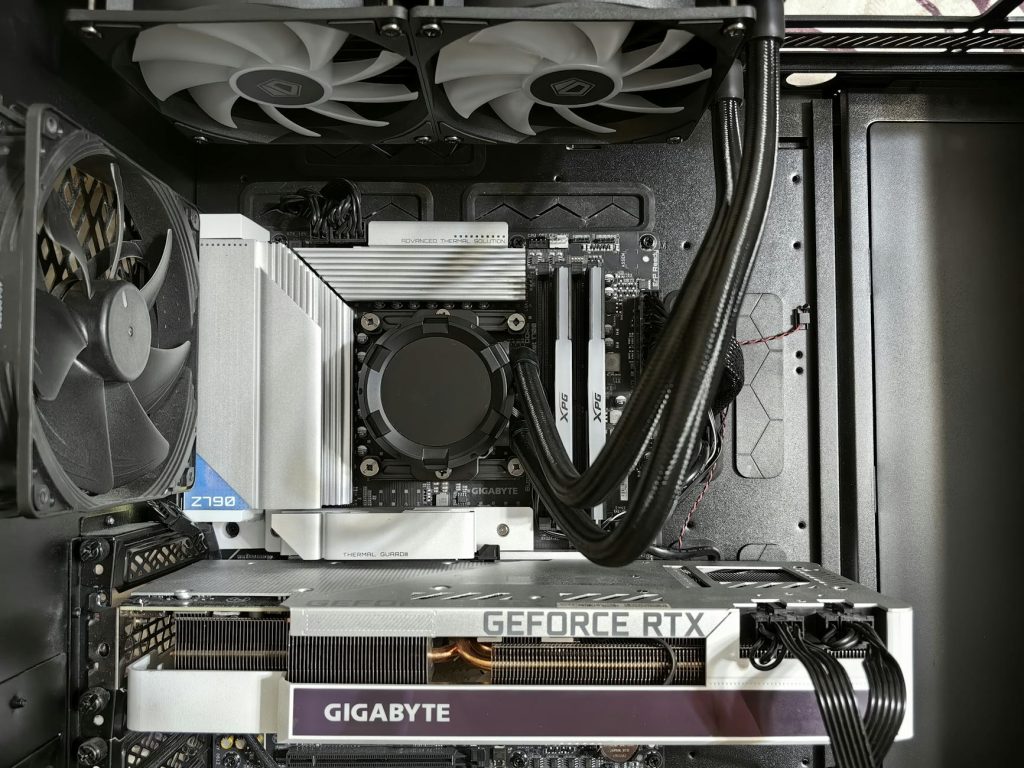
GPU VRAM is where models actually run. An RTX 4060 Ti 8GB [AFFILIATE LINK] is the baseline for smooth inference. It delivers 40+ tokens per second with quantized 8B models and costs roughly $250-350 used. The RTX 5070 Ti 16GB [AFFILIATE LINK] is the sweet spot for 2026—it’s powerful enough for comfortable multi-model usage, future-proof for larger 13-14B models, and costs around $600-800. If you already own a discrete GPU, verify its VRAM: check NVIDIA, AMD, or Intel’s specifications. Even older cards like the RTX 2060 6GB [AFFILIATE LINK] work, just expect 15-25 tokens per second rather than 40+.
Apple Silicon (M1, M2, M3, M4) is exceptionally good for local LLMs. Mac owners have an unfair advantage: unified memory architecture means all your system RAM is available to the GPU, eliminating the VRAM bottleneck that PC users face. A Mac Mini M4 with 24GB unified memory [AFFILIATE LINK] can comfortably run 13-14B models. If you own Apple hardware, leverage it—you’re ahead of most Windows/Linux users with equivalent specs.
System RAM (not to be confused with VRAM) supports model loading and OS overhead. Your 8GB system RAM must accommodate both the model and the operating system. Windows and macOS each consume 3-4GB at idle, leaving 4-5GB for AI work. This is why 8GB total is the floor, not a comfortable target. If you upgrade to 16GB system RAM [AFFILIATE LINK], you can run models with less aggressive quantization (Q5 instead of Q4) and maintain larger context windows without swapping to disk. DDR5 4800-5200MHz is preferable to older DDR4 for token generation speed, though the improvement is modest (10-15%).
Storage speed directly impacts how fast models load and whether disk swapping is tolerable. An NVMe SSD [AFFILIATE LINK] is non-negotiable. Quantized 8B models are still 4-6GB files, and loading them from a 2.5-inch SATA SSD takes 30+ seconds. A modern NVMe drive (PCIe 4.0 or 5.0) loads the same model in 3-5 seconds. If you’re running multiple models or experimenting frequently, storage speed becomes quality-of-life critical. Samsung 990 Pro [AFFILIATE LINK] or similar enterprise-class NVMe drives are worth the investment ($60-100).
Cooling and thermals matter if you run models frequently. LLM inference pegs your GPU at 100% utilization for extended periods. A cooling pad for laptops [AFFILIATE LINK] or improved desktop case airflow [AFFILIATE LINK] prevents thermal throttling that murders inference speed. Your model might run at 40 tokens/second when cool and 12 tokens/second when thermally throttled—a 3x difference that makes conversations unusable.
Power supply for discrete GPU systems should be 750W 80+ Gold minimum [AFFILIATE LINK]. An RTX 4060 Ti draws 130W, plus CPU and motherboard components. Skimping on power supplies (going with 550W units) creates risk of crashes under load.
The practical formula for 8GB systems in 2026: discrete 8GB GPU (minimum) + 16GB system RAM (recommended) + NVMe SSD (essential) + proper cooling (highly recommended). If you’re starting from zero, expect $600-1200 total investment for a capable local AI workstation. Refurbished business-class mini PCs [AFFILIATE LINK] offer an alternative: 16GB RAM, i5/i7 CPU, NVMe storage, all-in for $200-400. They’re slower than dedicated GPUs but work reliably for API-based AI without local inference demands.
2026 Hardware Reality: CPUs, Mini PCs, and Emerging AI Accelerators
In 2026, the hardware landscape for local AI has diversified beyond traditional desktop GPUs. New options have emerged that challenge conventional thinking about what hardware matters.
CPU-only inference is practical for 4-6B parameter models but sluggish for 8B models. Modern CPUs (Intel 13th-gen and newer, AMD Ryzen 7000-series) can run 8B models at 5-10 tokens per second—workable but not ideal for interactive chat. If you lack GPU access, CPU inference still beats cloud APIs for privacy and offline capability, just with patience.
Mini PCs have exploded in popularity. The Geekom N100 [AFFILIATE LINK] and similar Intel N100-based devices offer 16GB RAM, NVMe storage, and x86 Linux compatibility for $200-250. They’re slow for local inference but excellent for running API-based AI orchestration, Home Assistant, or other non-inference workloads alongside LLMs running on remote hardware.
Raspberry Pi 5 with 8GB RAM [AFFILIATE LINK] is technically capable of running quantized 3-4B models with acceptable performance. Expect 10-20 tokens per second, useful for lightweight assistants but frustrating for heavy-duty tasks. The Pi 5 has become more expensive (now $120+ for 8GB), making refurbished mini PCs increasingly competitive in price-to-performance ratio.
The Raspberry Pi AI HAT+ 2 [AFFILIATE LINK] ($130) adds dedicated NPU hardware with 8GB of onboard RAM and 40 TOPS of INT8 compute. Theoretically promising for running LLMs independently, in practice the software ecosystem is immature. This hardware is more useful as a development kit for deploying AI modules in custom devices than as a direct consumer solution.
New AI accelerator cards are emerging. The M5Stack AI Pyramid mini PC [AFFILIATE LINK] ($199 for 4GB, $249 for 8GB) bundles an Axera AX8850 SoC with 24 TOPS NPU compute and runs optimized versions of Llama 3.2, Qwen 3, and other models. It’s turnkey but limits you to supported model lists—less flexibility than general-purpose hardware.
Apple Silicon (M1/M2/M3/M4 Macs) remains unmatched for efficient AI inference. The unified memory architecture, dedicated neural engine, and optimized ONNX/Metal acceleration make Mac Mini or MacBook Pro [AFFILIATE LINK] exceptional choices if you can afford the premium. A Mac Mini M4 with 24GB [AFFILIATE LINK] costs more than high-end Windows machines but often runs models 30-50% faster at equivalent parameter counts.
The honest 2026 reality: discrete 8GB+ NVIDIA GPUs deliver best price-to-performance for local LLM inference. They’re proven, widely supported, and inexpensive on the used market. Apple Silicon is best if you own a Mac. Everything else (CPU-only, mini PCs, specialized accelerators) works but trades speed for other advantages like affordability, power efficiency, or novelty. Match the hardware to your actual use case rather than chasing the trendy option.
Conclusion
The best LLM for your 8GB RAM system in 2026 depends on your specific needs, but the model-hardware combination that matters most is getting the fundamentals right. Qwen3 8B dominates mathematical reasoning, Llama 3.1 8B wins for versatility and community support, and DeepSeek R1 8B excels at creative work. Pair any of these with Q4_K_M quantization, run them through Ollama or LM Studio, and you have a production-ready local AI system that rivals cloud APIs for your use cases while protecting your privacy and costing nothing per token. Your 8GB constraint isn’t a limitation—it’s your focus point. The explosion of efficient model architectures and quantization techniques in 2025-2026 means you’re no longer choosing between capability and hardware requirements. You’re choosing between specialized strengths. Start with Llama 3.1 8B if you’re uncertain, benchmark a few alternatives if performance becomes critical, and don’t chase specifications. In 2026, a quantized 8B model running locally on consumer hardware is genuinely indistinguishable from premium cloud AI for the vast majority of real-world tasks.